
Flexible selling
Quick Sale, POS, standard invoices, quotations, and custom invoice workflows.

Feature guide · Android + Web
Create invoices, manage khata and stock, prepare GST records, organise staff, review reports, and configure how customers pay you.
Built for Indian businesses · English, Hindi, Tamil, Hinglish, Gujarati, Marathi, and Bengali
A practical business toolkit
This guide focuses on the main workflows clients usually ask about. The Android and web apps work as two views of the same business workspace.
Feature availability can vary by plan and by services configured for the business.
01 · Billing & sales
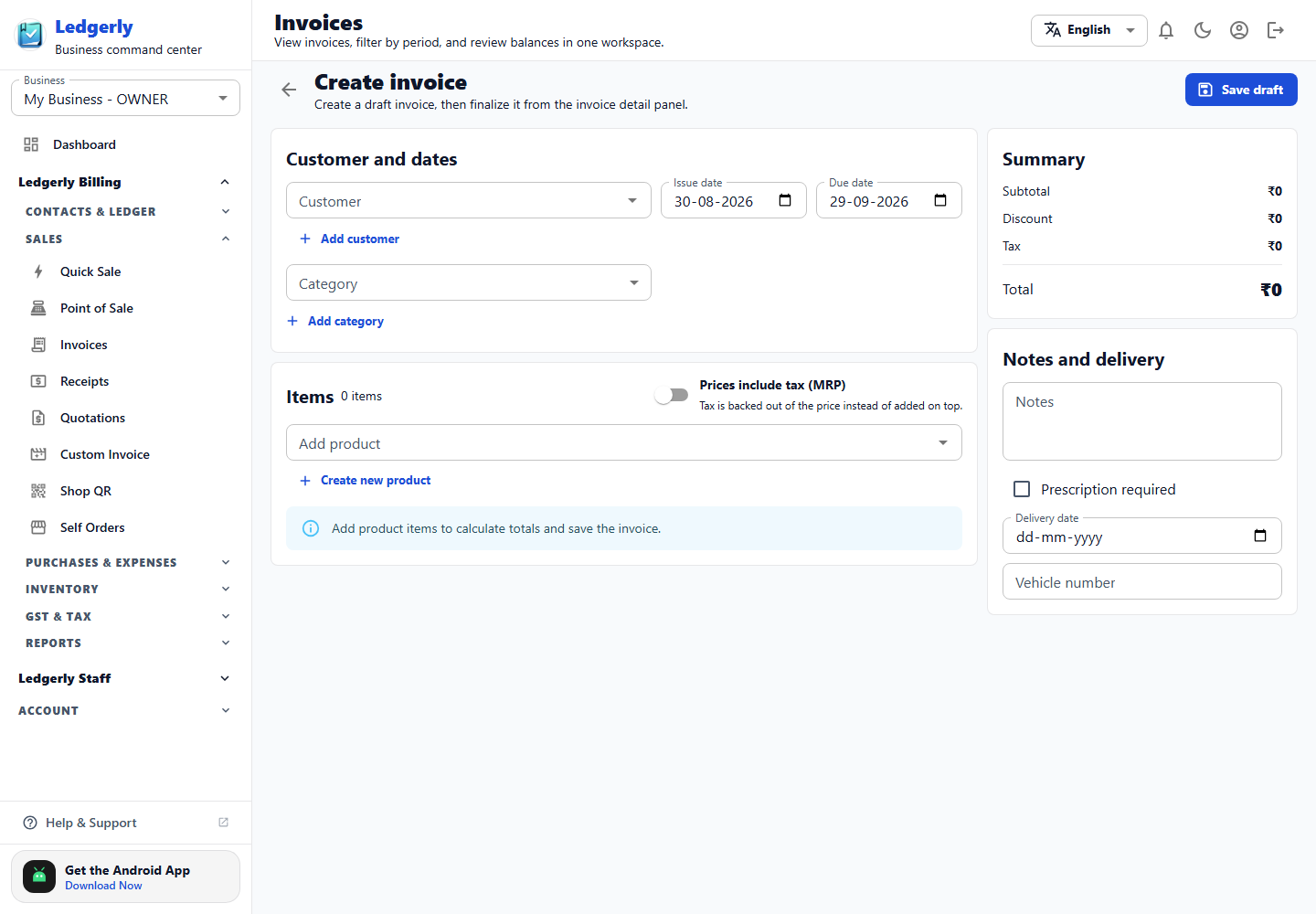
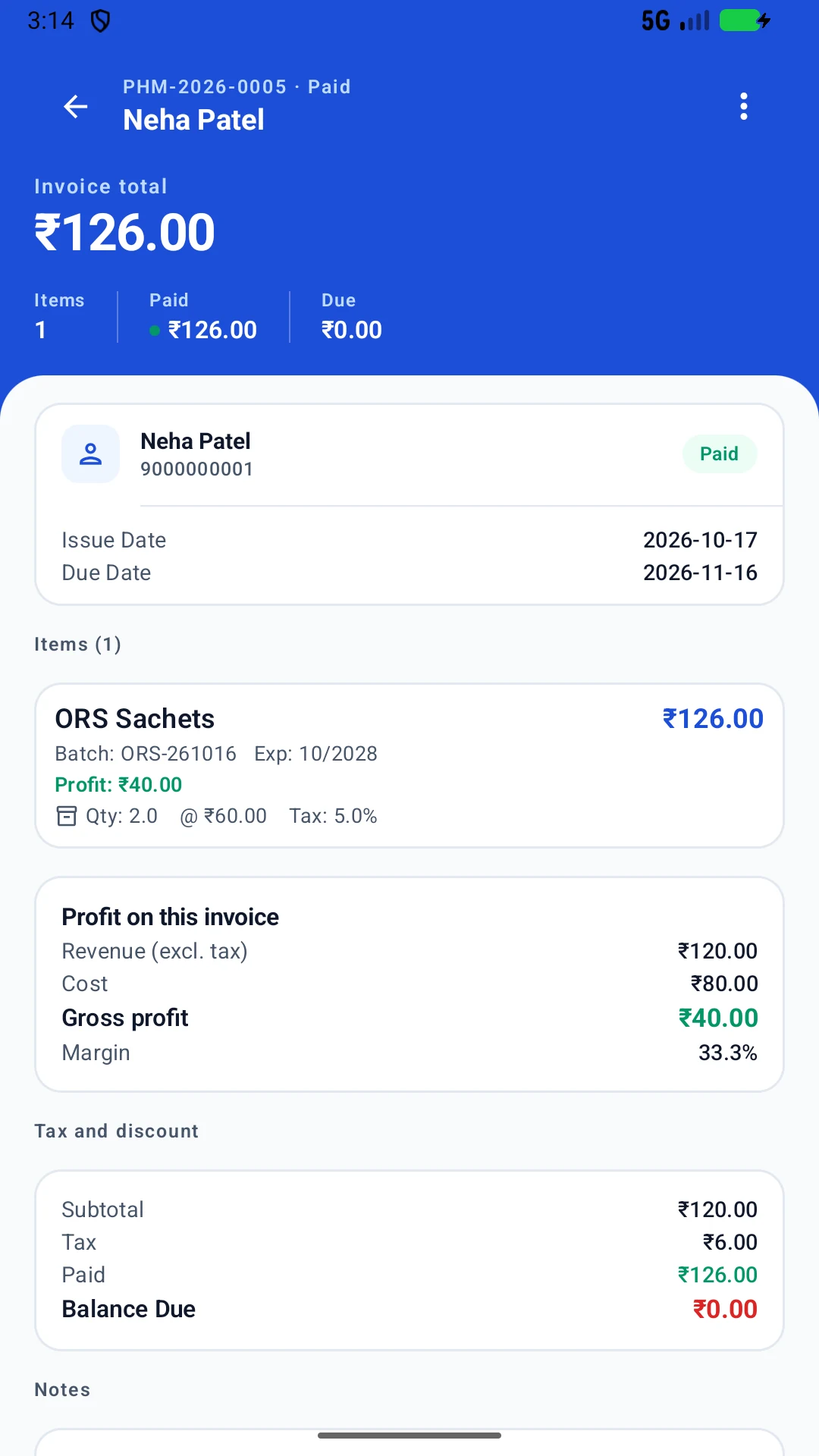
Use guided invoice forms for detailed billing, or faster sale flows when speed matters. Add customers, products, dates, tax treatment, delivery details, notes, and payment information.
Quick Sale, POS, standard invoices, quotations, and custom invoice workflows.
Review subtotal, discounts, taxes, received amount, and outstanding balance.
Generate professional documents that can be downloaded and shared with customers.
Capture place of supply, due dates, delivery details, vehicle number, and notes.
02 · Khata & collections
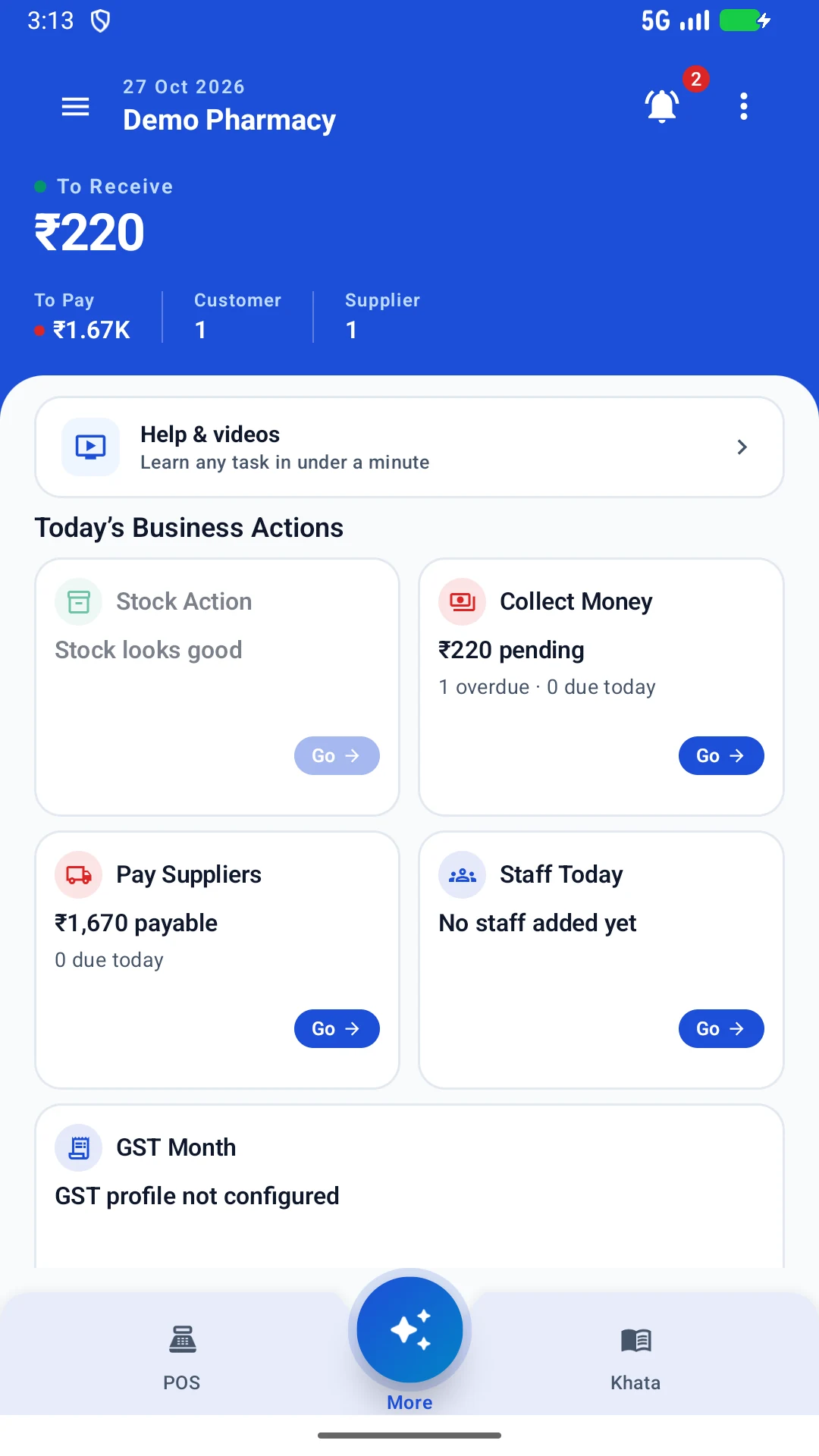
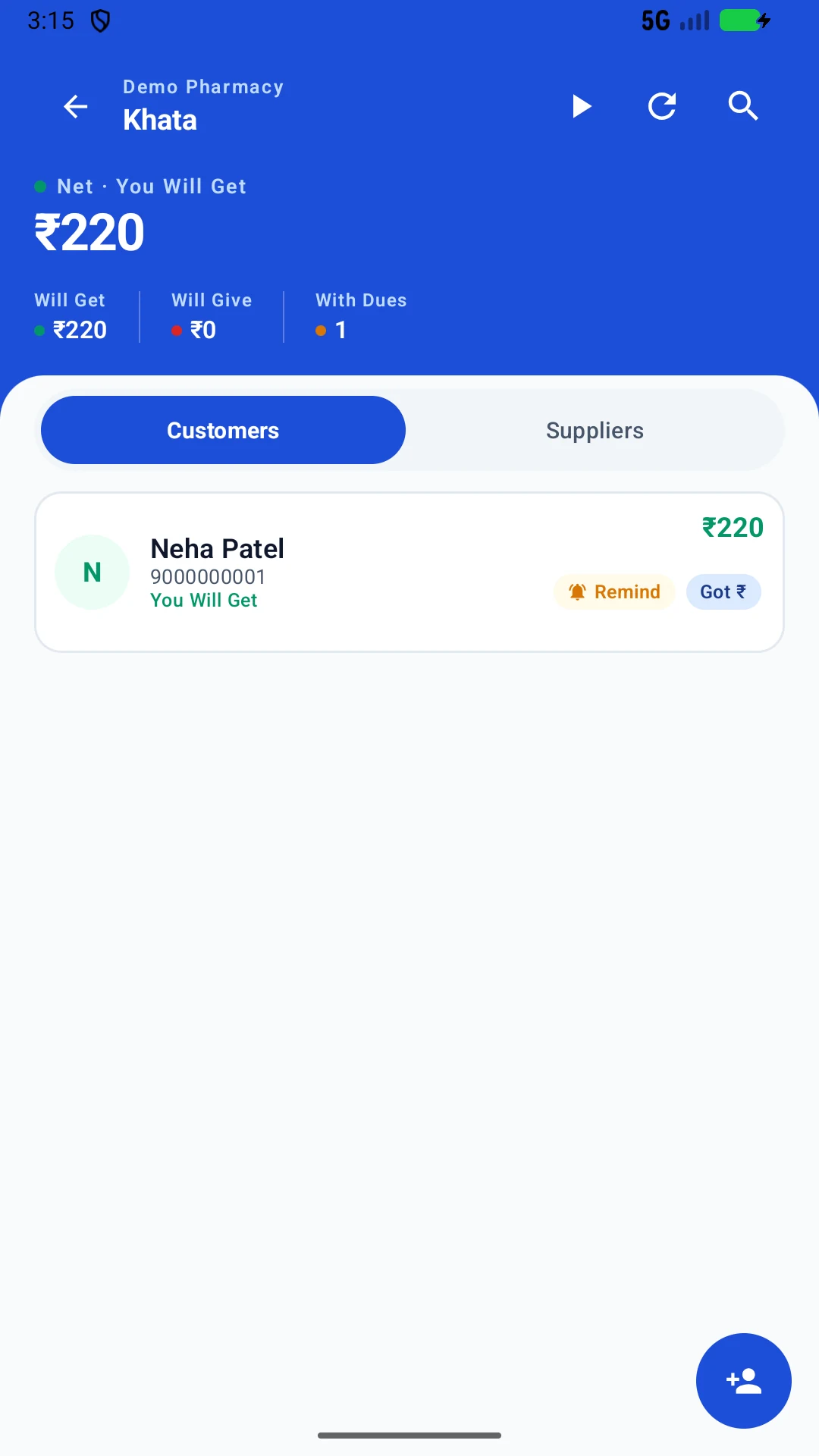
Track customer and supplier balances, record money given or received, search parties, review statements, and follow up from the same workflow.
03 · Inventory, purchases & expenses
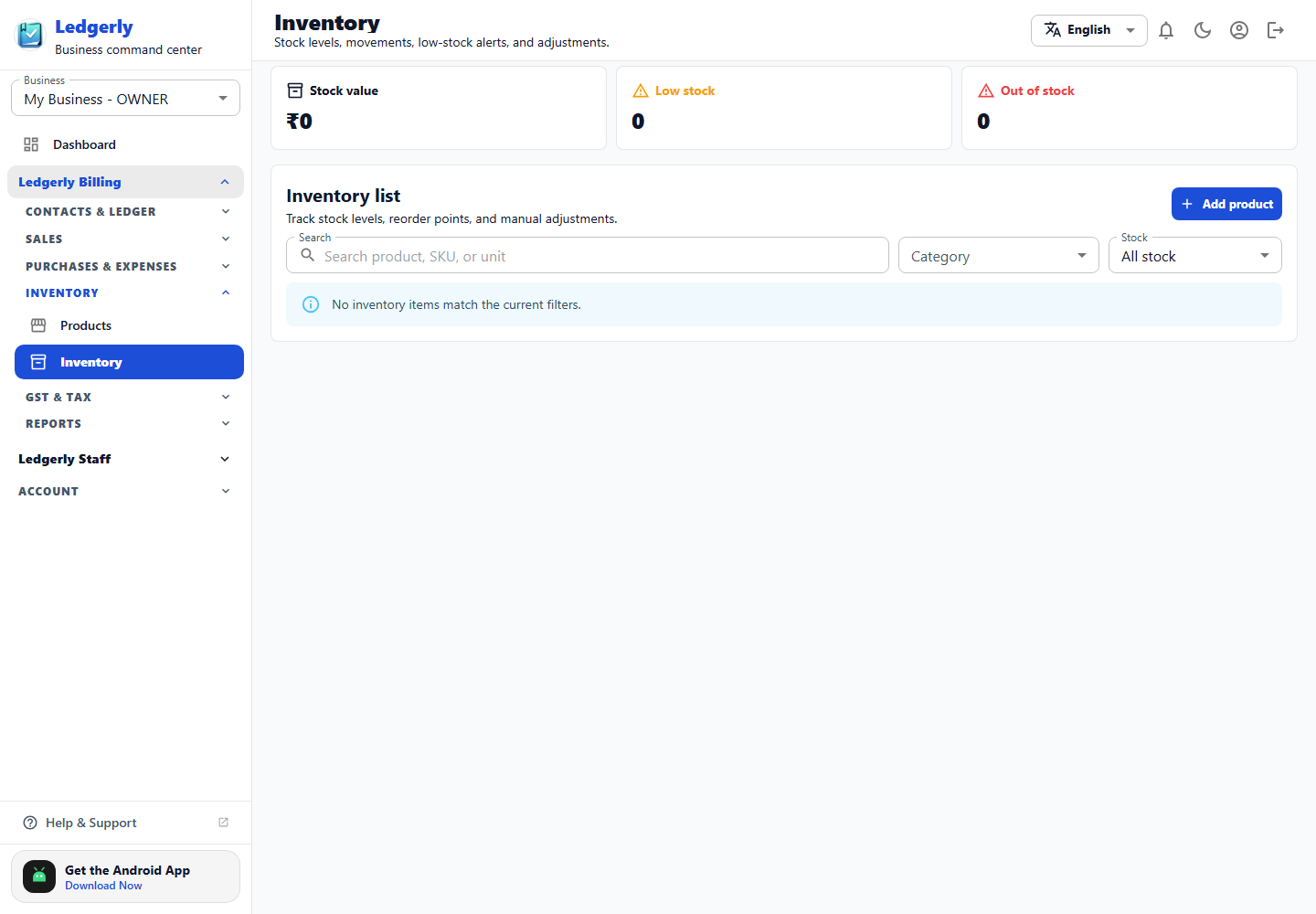
Maintain products and categories, monitor stock value, filter inventory, identify low or out-of-stock items, record purchases, and organise expenses.
Keep selling and purchase details organised by product and category.
Review on-hand stock, valuation, movements, alerts, and adjustments.
Record supplier bills and link buying activity to inventory operations.
Classify day-to-day spending so it can flow into business reports.
04 · GST & business reports
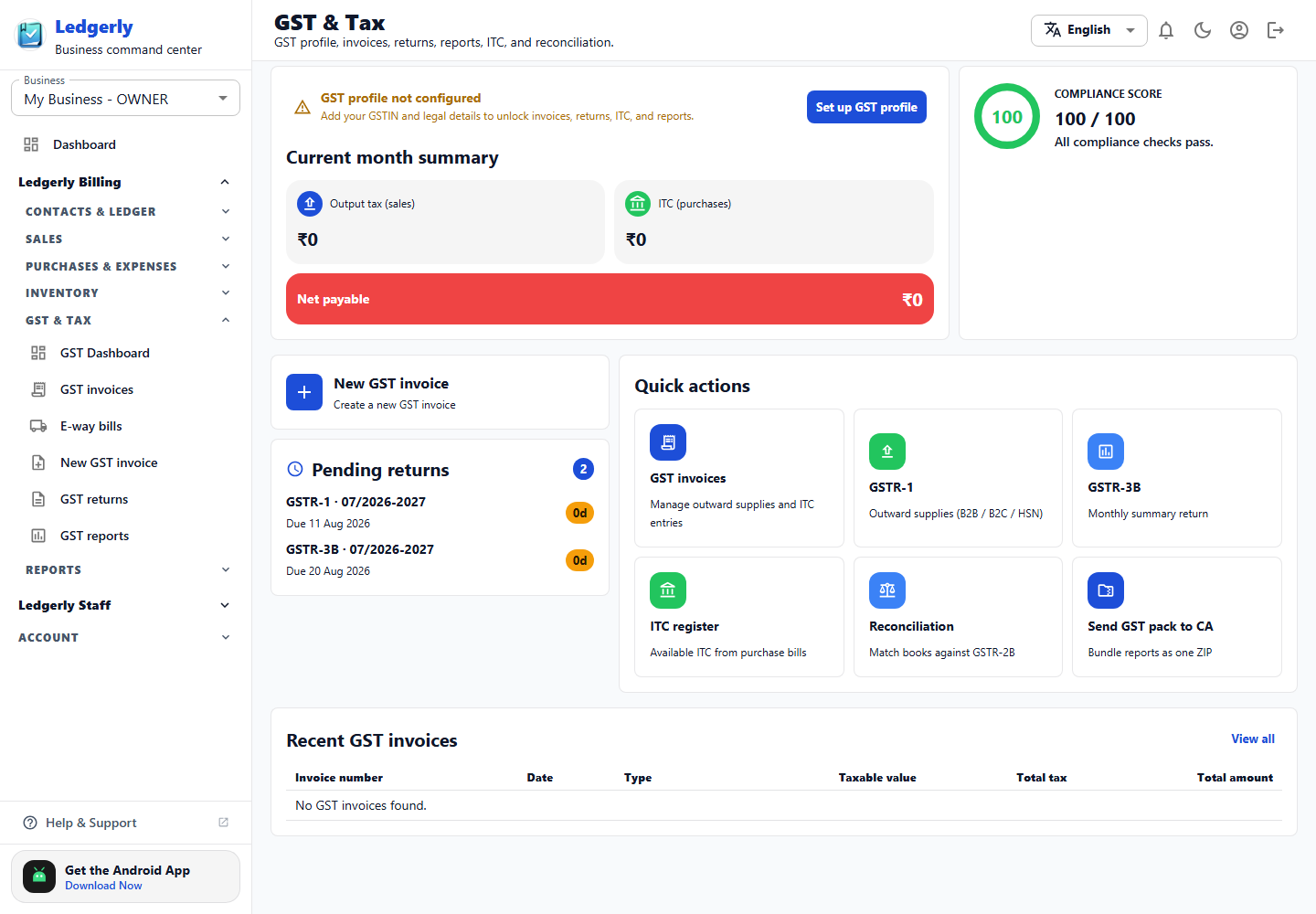
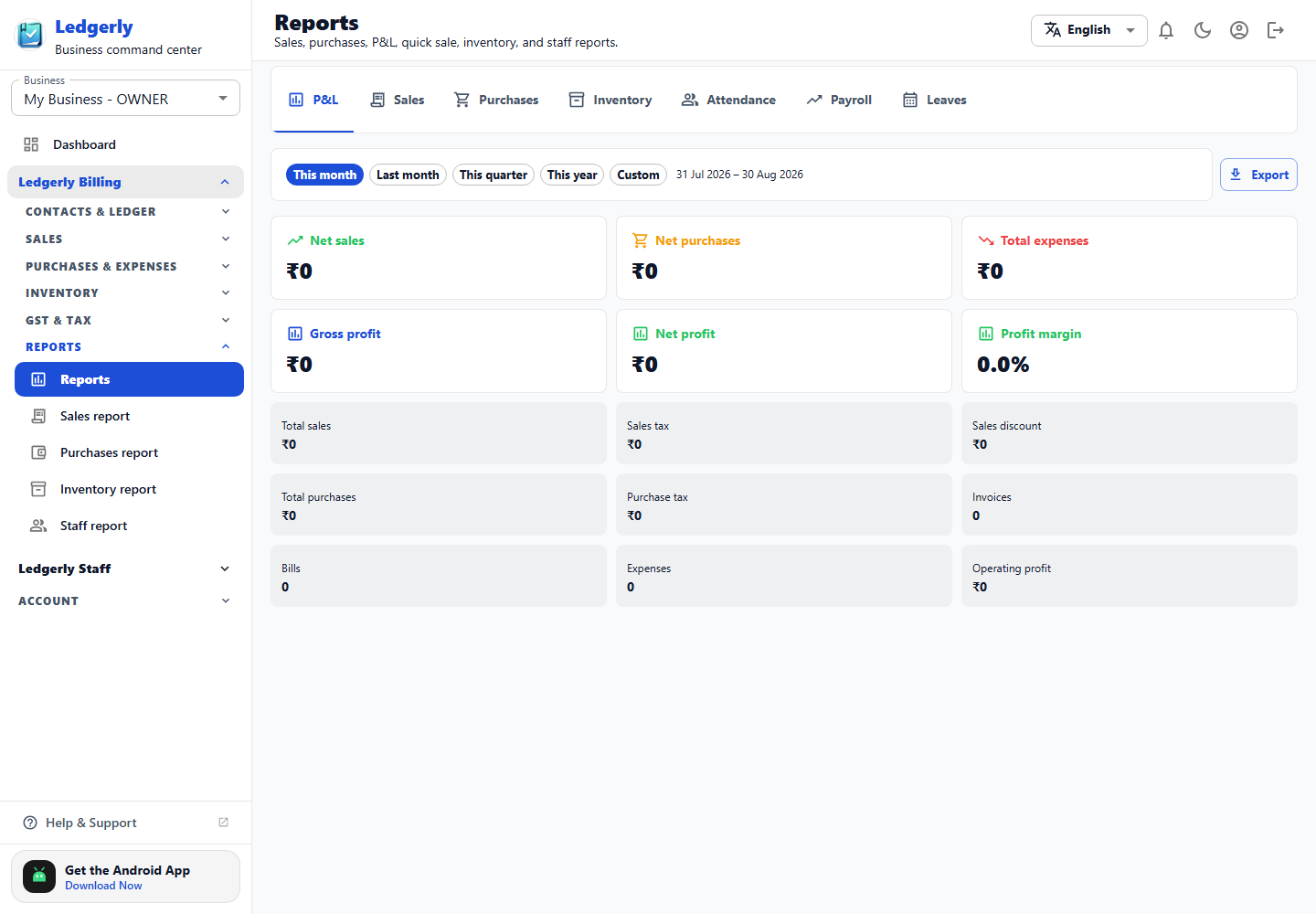
Prepare GST invoices and summaries, review outward supplies and ITC, manage return working data, reconcile records, and analyse operational performance.
Ledgerly supports preparation and review workflows. Filing or government-portal actions depend on configured services and the final review of the business or tax professional.
05 · Staff & payroll
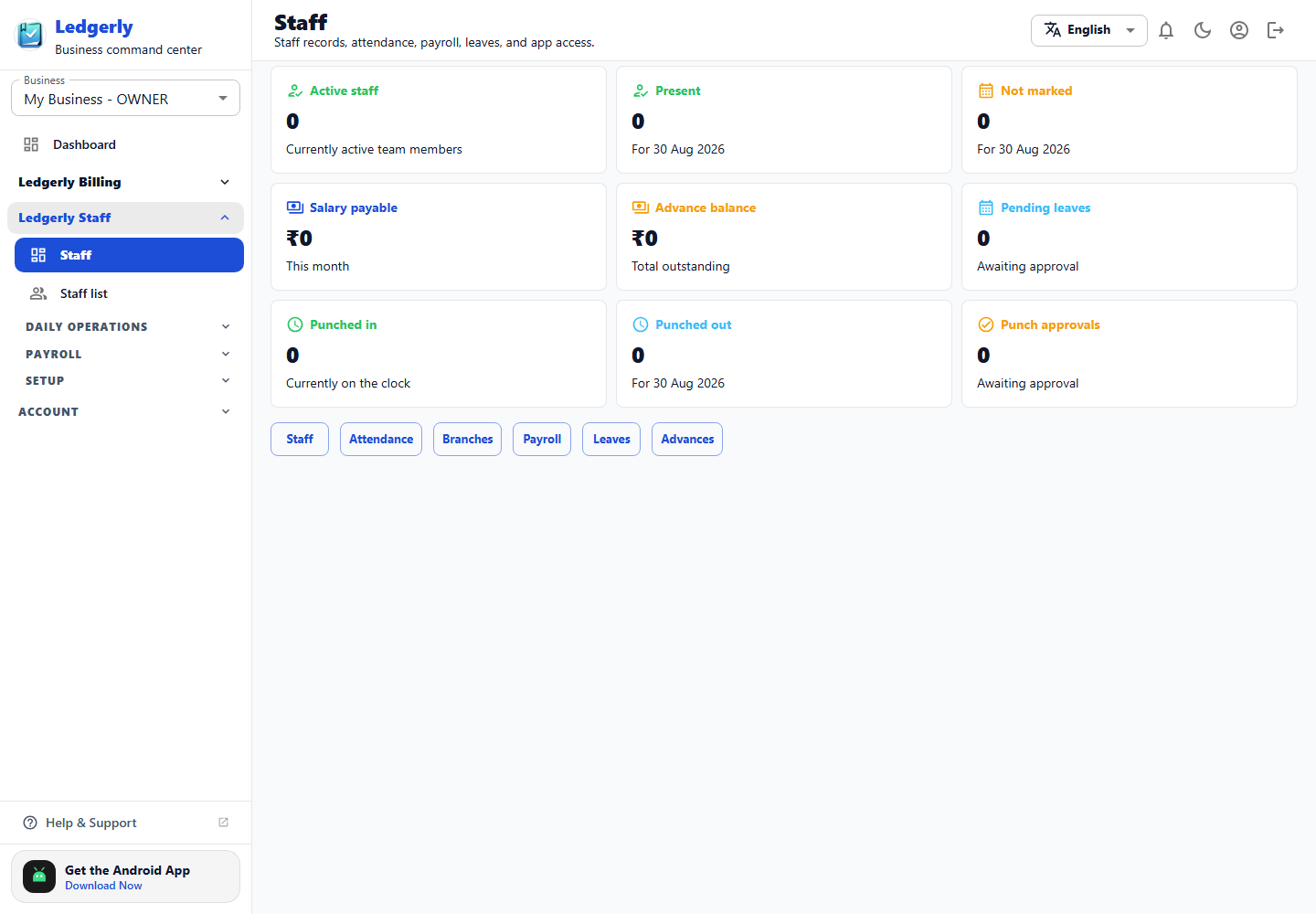
Manage staff records, attendance, punch activity, shifts, branches, tasks, leaves, advances, payroll, statutory configuration, and controlled app access.
06 · Business, account & payment settings
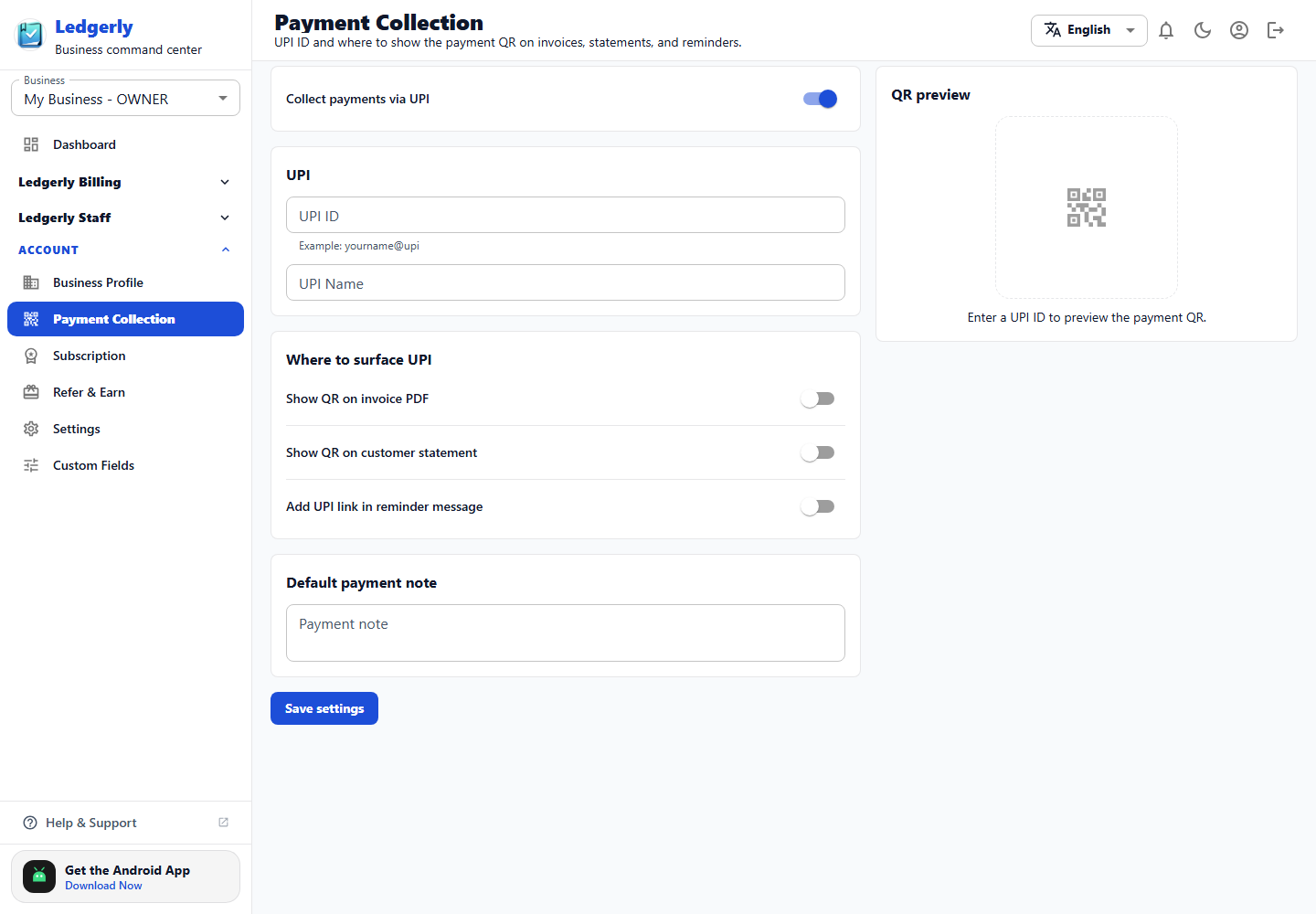
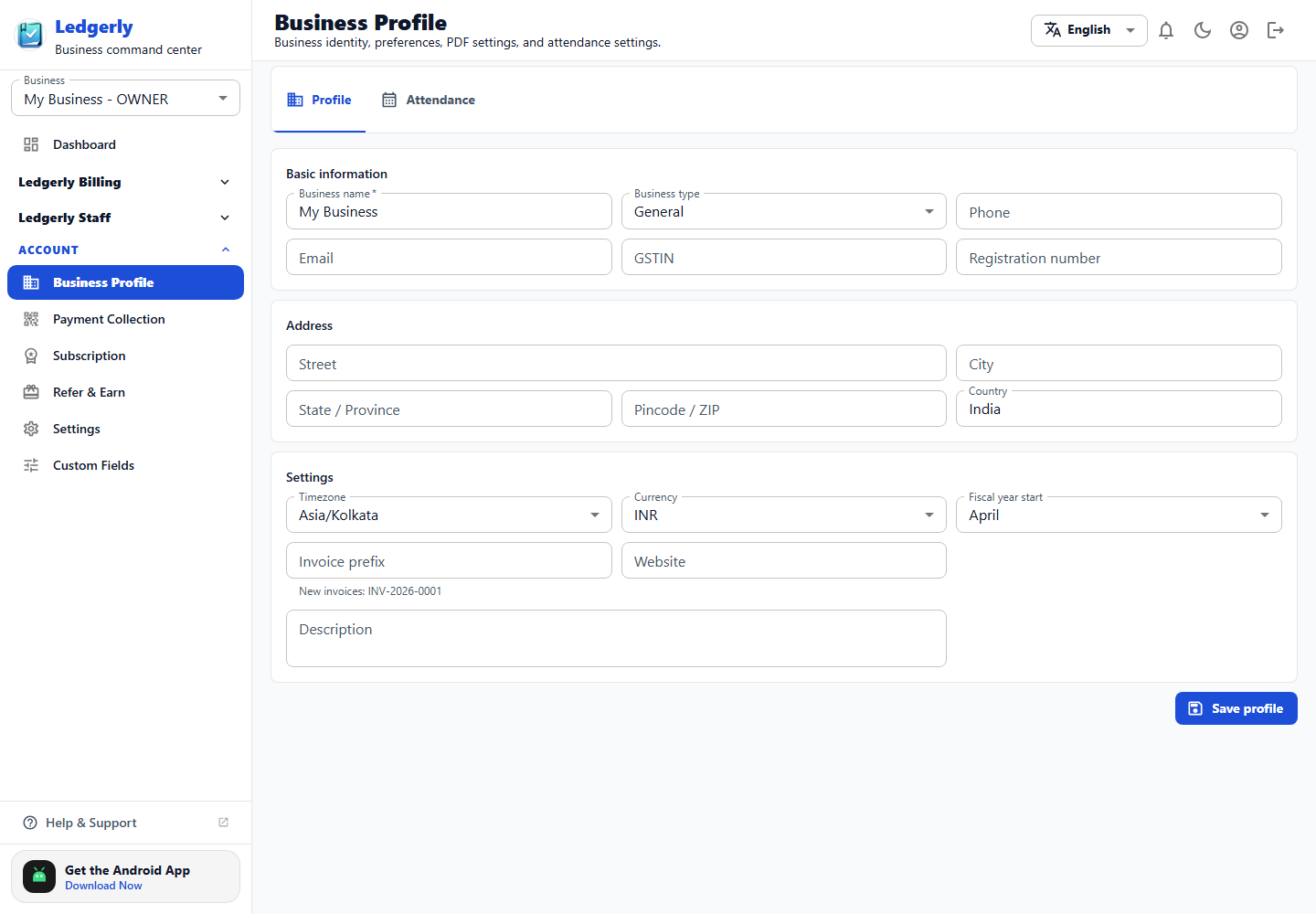
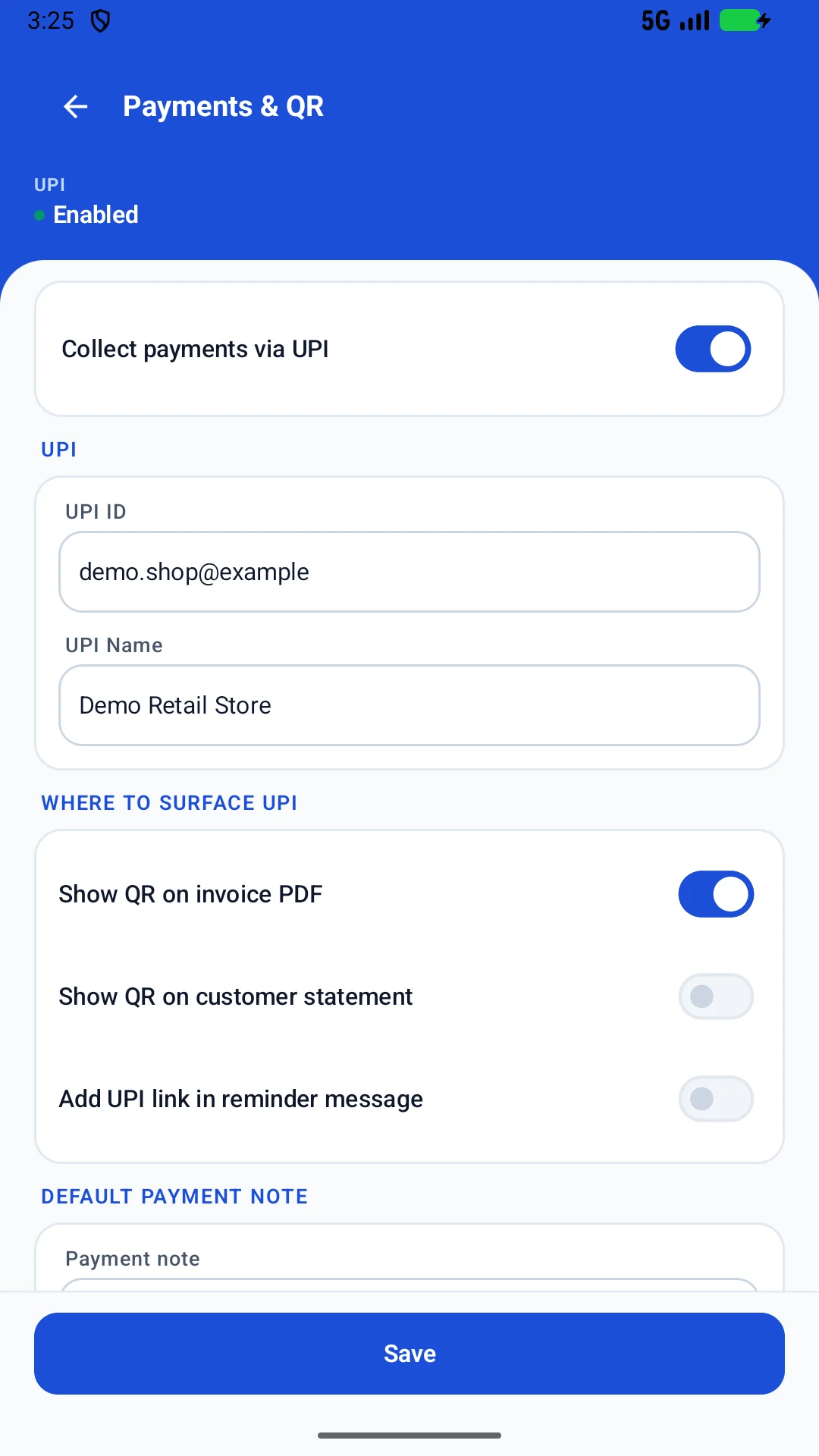
Configure identity, address, GSTIN, business type, invoice numbering, currency, fiscal year, UPI collection, QR placement, document styling, and custom fields.
Professional documents · Work anywhere
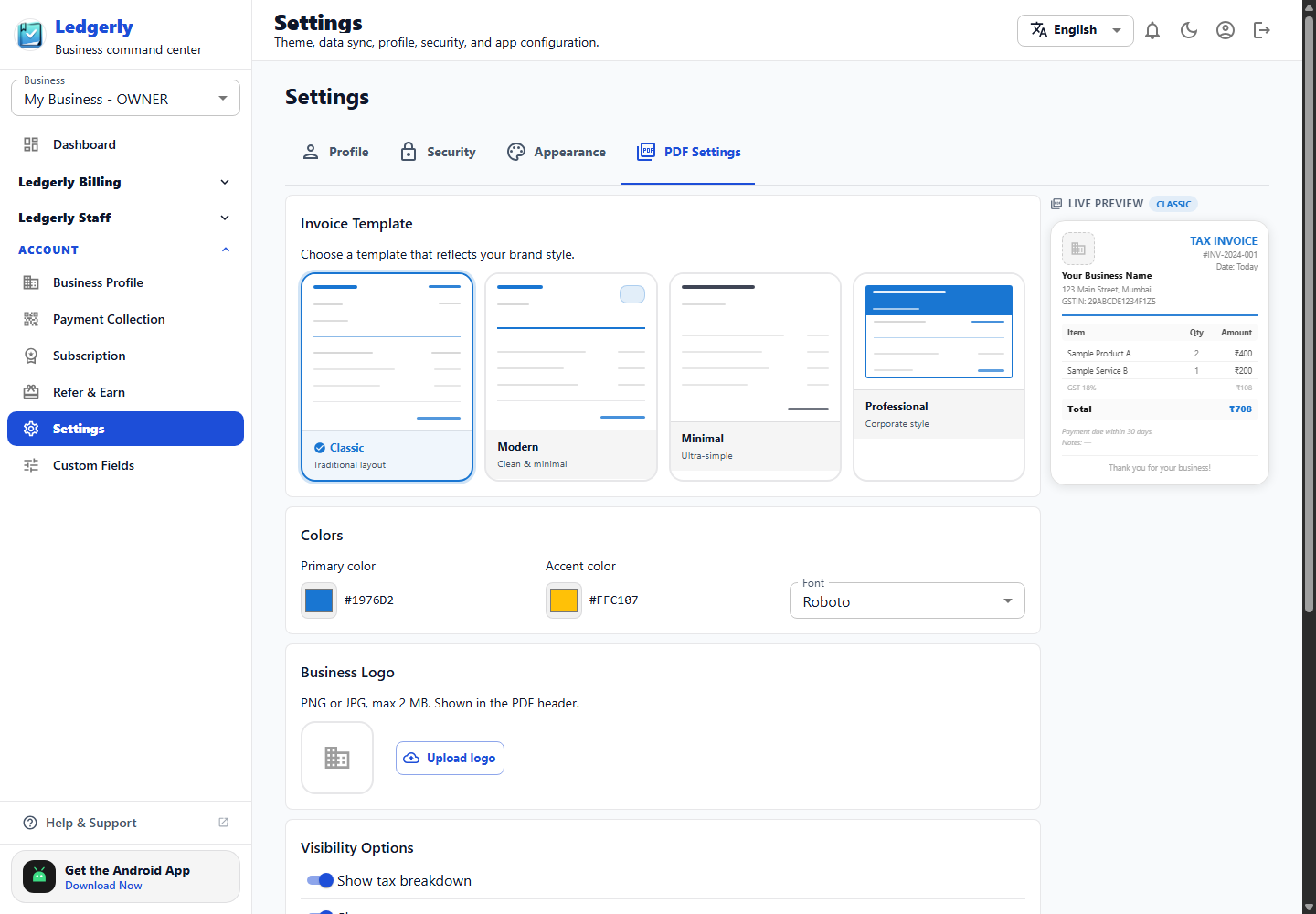
Choose invoice templates, colours, logo, tax visibility, bank details, footer content, and the customer-facing information that belongs on generated PDFs.
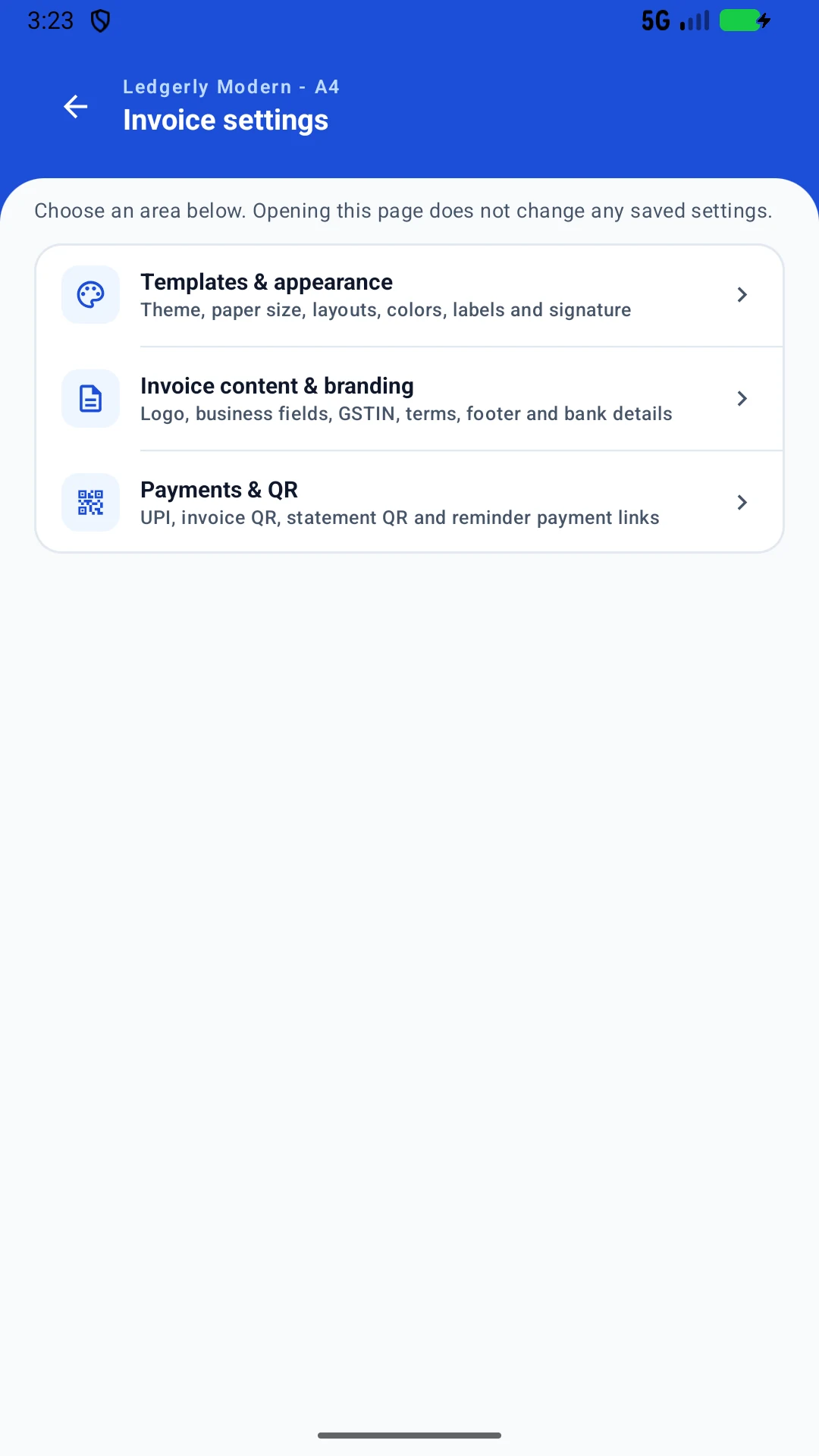
Use the web app from a desktop, or install Ledgerly on Android for work on the move.
Screens shown were captured from the current Android and web builds on 29–30 August 2026. Product details may evolve as Ledgerly is updated.
Install Ledgerly Desktop for GST invoices, basic POS, inventory and Khata. Core billing works offline on Windows 10 and 11. Optional Pro and Business upgrades are one-time purchases: pay once, use your licensed Desktop features for life. Online services are priced separately.